
Windows 开启 Ping 教程
Windows 系统默认关闭了 ICMP(Ping)响应,直接 Ping 服务器 IP 会显示超时。本教程介绍如何开启 Ping 功能。
问题说明
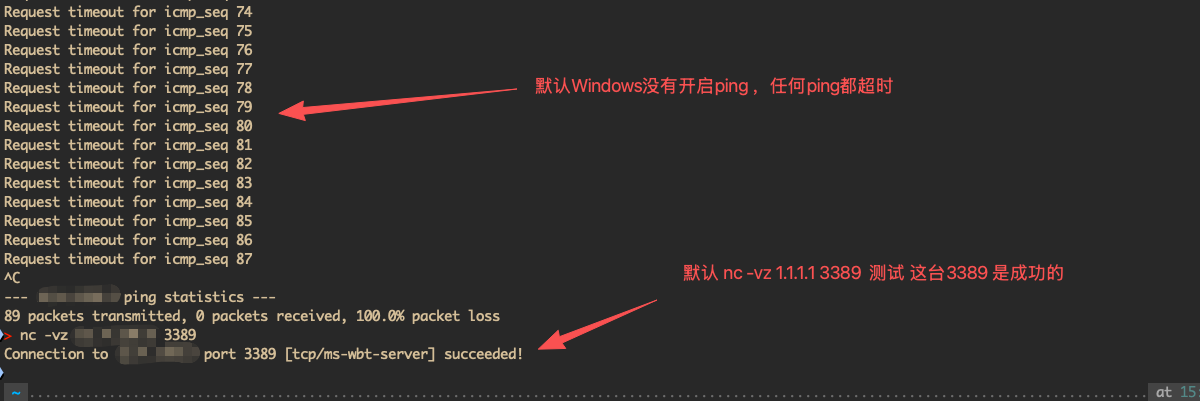
当您尝试 Ping Windows VPS 时,可能会看到以下结果: 这并不是服务器故障,而是 Windows 防火墙默认阻止了 Ping 请求。
开启步骤
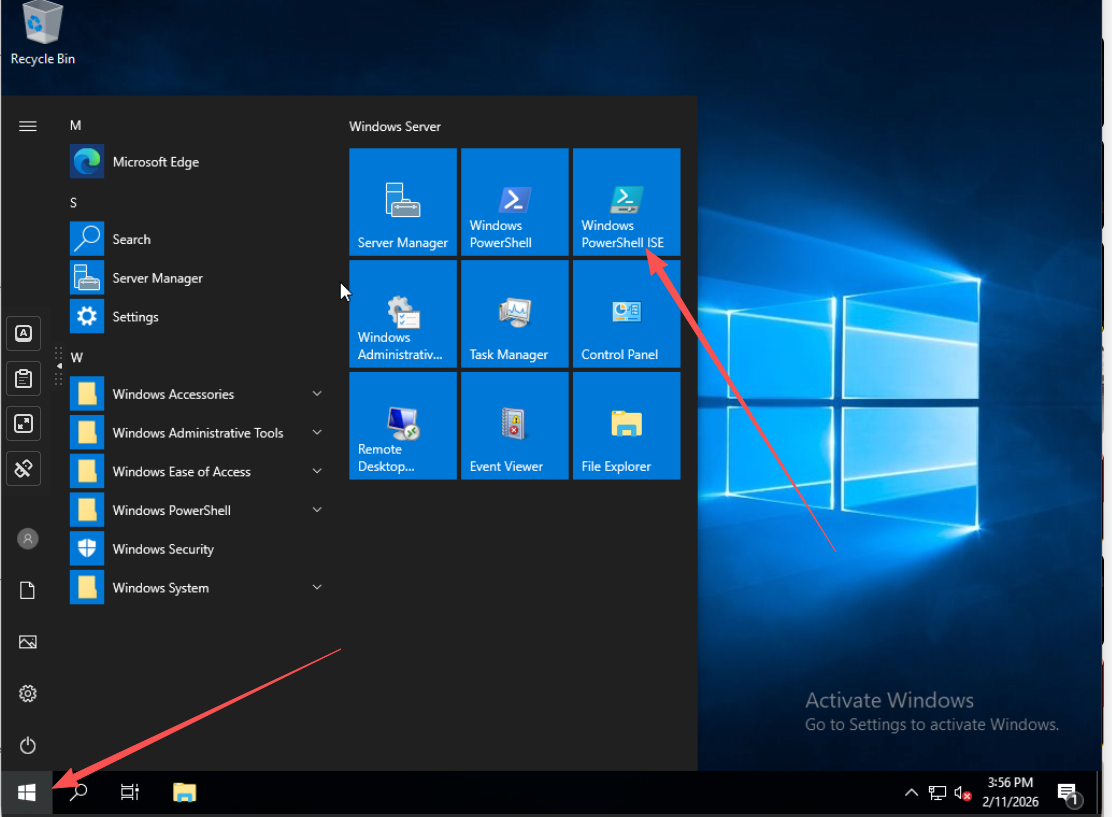
第一步:打开 PowerShell
- 远程登录到 Windows VPS
- 右键点击开始菜单
- 选择 Windows PowerShell(管理员) 或 终端(管理员)
第二步:复制并运行命令
复制以下命令:
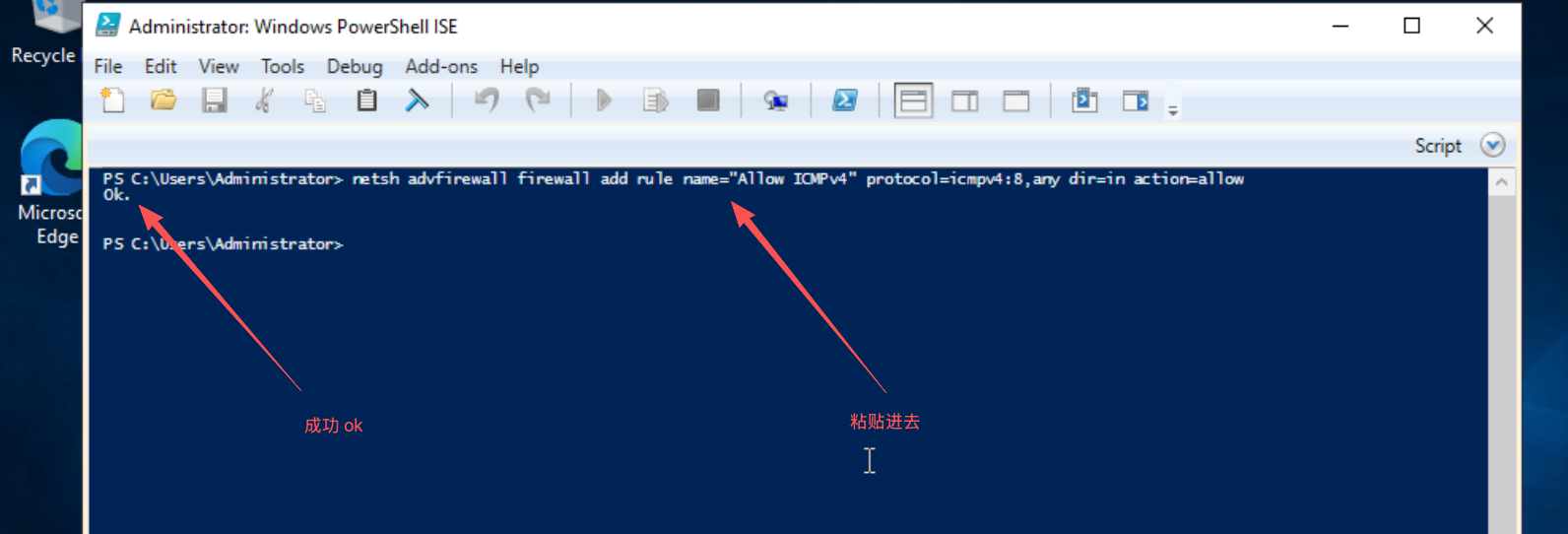
netsh advfirewall firewall add rule name="Allow ICMPv4" protocol=icmpv4:8,any dir=in action=allow
第三步:粘贴并执行
在 PowerShell 窗口中粘贴命令,按回车执行。
看到 "确定。" 或 "Ok." 提示即表示成功。
第四步:验证结果
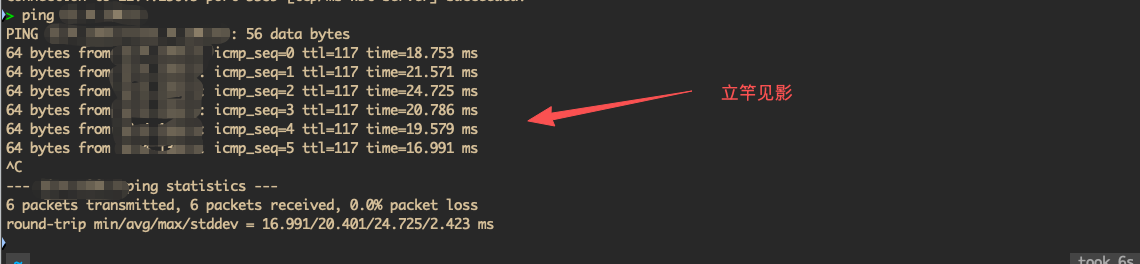
再次 Ping 服务器 IP,现在应该能收到正常响应了。
如需关闭 Ping
如果之后想要关闭 Ping 响应,运行以下命令:
netsh advfirewall firewall delete rule name="Allow ICMPv4"
常见问题
| 问题 | 解决方案 |
|---|---|
| 提示权限不足 | 确保以管理员身份运行 PowerShell |
| 命令无效 | 检查命令是否完整复制,无多余空格 |
| 仍然无法 Ping | 检查网络连接和 IP 是否正确 |